AppLovin creative specs are short: every video is a full-screen 9:16 portrait file in MP4, MOV or M4V, up to 1 GB and up to 60 seconds long, with 1080x1920 recommended and 270x480 as the minimum. After the video comes an interactive page (a portrait GIF, JPEG or PNG up to 10 MB, or an HTML page built in AppLovin's Creative Studio), and then an optional dynamic catalog of up to 12 products. Each creative set needs at least one video and one interactive page, and can hold up to 10 of each.
That is the whole spec sheet. The harder part is what to do inside those limits, because AppLovin ads do not look like a feed ad. Below we lay out every spec from AppLovin's own documentation in one place, explain how the three screens of an AppLovin ad fit together, and give the production checklist we use before a brand uploads its first creative set.
- Video: 9:16 portrait, MP4, MOV or M4V, 1 GB max, 60 seconds max, 1080x1920 recommended.
- Interactive page: portrait GIF, JPEG or PNG, 10 MB max, GIFs up to 60 seconds, or an HTML page from Creative Studio. Leave CTA buttons out; AppLovin adds its own.
- Creative set: at least 1 video and 1 interactive page, up to 10 of each.
- Dynamic catalog: up to 12 products, fed by the AppLovin pixel, a CSV feed or the Shopify connector.
- Length: AppLovin asks advertisers to test all lengths and to prioritize videos of 30 seconds or longer.
How an AppLovin ad is built: three screens
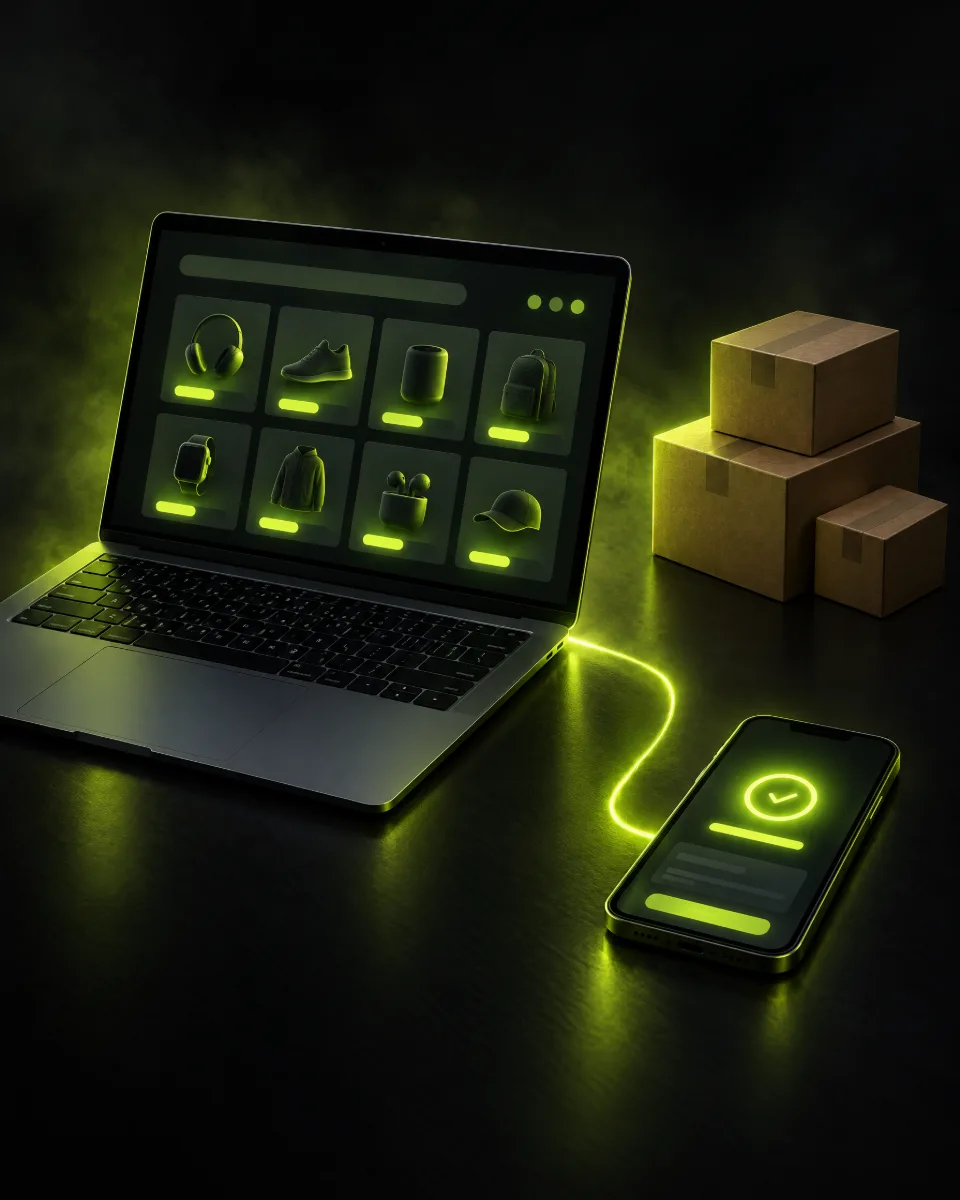
Every AppLovin ecommerce impression follows the same sequence, according to AppLovin's creative quick start guide: a full-screen video, then an interactive page, then a dynamic catalog of product cards. The ad runs during a natural break in a mobile game, so the viewer is not scrolling past it the way they would in a social feed.
This changes how you think about specs. On Meta or TikTok one file is the ad. On AppLovin you are supplying parts that the system assembles: videos, interactive pages and a catalog. Axon, AppLovin's ad engine, then chooses which combination to show each person. If you are new to how that engine works, our AppLovin Axon explainer covers it.
| Screen | What it is | What you supply |
|---|---|---|
| 1. Video | Full-screen vertical video, unskippable for up to 60 seconds | 9:16 video files |
| 2. Interactive page | The page shown after the video, with an animated CTA that AppLovin overlays | Portrait images or GIFs, or an HTML page from Creative Studio |
| 3. Dynamic catalog | Personalized product cards, each linking to its product page | A product catalog (pixel, CSV or Shopify) |
AppLovin video ad specs
These are the video requirements from AppLovin's ad specs and asset specifications pages for web advertisers, plus the recommended resolution from its creative quick start guide.
| Spec | Requirement |
|---|---|
| Orientation | Full-screen vertical, 9:16 portrait |
| File types | MP4, MOV, M4V |
| Recommended resolution | 1080x1920 |
| Minimum resolution | 270x480 |
| Maximum file size | 1 GB |
| Maximum length | 60 seconds |
| Skippability | Unskippable for up to 60 seconds |
| Processing | AppLovin re-encodes every video into a standard format; file size may change, quality does not |
Two practical notes. First, there is no landscape or square option for ecommerce videos, so a 1:1 or 4:5 social asset needs to be reframed to 9:16 before upload, not just letterboxed. Second, because AppLovin re-encodes everything, there is no benefit to chasing an unusual bitrate or codec. Export a clean 1080x1920 H.264 MP4 and move on.
How long should AppLovin videos be?
The hard limit is 60 seconds. The guidance inside that limit is clear and it is different from social: AppLovin's video best practices page tells advertisers to test videos of all lengths with priority on videos longer than 30 seconds. Its quick start guide says the same thing in different words: because the video is unskippable for up to 60 seconds, prioritize storytelling videos of 30 seconds or more.
The reason is the placement. AppLovin says interstitial placements give five or more seconds of guaranteed attention and rewarded placements are skip-delayed for up to 60 seconds, so a viewer who chose to watch an ad for a reward will often see the whole thing. In a June 20, 2026 summary of AppLovin's ecommerce update, Common Thread Collective reported that the top 5 percent of performing videos averaged 37.4 seconds.
A sensible length mix for a first creative set looks like this:
- Two or three videos of 30 to 45 seconds. Full stories: problem, product, proof, offer.
- One or two videos of 45 to 60 seconds. Longer testimonials or demos. If you have no long-form footage, AppLovin suggests stitching several UGC clips together.
- One or two videos of 15 to 25 seconds. Your best existing social cuts, reframed to 9:16, so you have a baseline. AppLovin's quick start guide says you can start with existing social creatives and build AppLovin-specific videos later.
Even in a long video, the first seconds still matter. AppLovin's quick start guide says to hook viewers in the first 3 to 5 seconds and then tell a complete story.
What AppLovin's top-spending videos have in common
Specs tell you what will upload. AppLovin's video best practices page goes a step further and describes patterns in its top-spending ecommerce videos. These are AppLovin's own observations, not a controlled test, but they are the most direct guidance the platform publishes:
| Element | Share of top-spending videos (per AppLovin) | What to do |
|---|---|---|
| Prominent captions | 95% | Caption everything; most mobile gamers have sound off by default |
| Voiceover | 85% | Use voiceover and longer-form storytelling |
| An offer (discount, BOGO, free item) | About 40% | Feature the offer and make any deadline clear |
| A named audience in the hook | About 30% | Say who the product is for in the opening line |
| Social proof (review counts, viral mentions) | 24% | Show proof on screen |
| A provocative UGC hook | About 15% | Open with a criticism that turns into praise, or a problem the product solved |
AppLovin also notes that evergreen offer codes often outperform time-limited ones on ROAS and scale. For the creative strategy behind these patterns, including hooks and testing, see our AppLovin creative best practices guide.
Interactive page and end card specs
After the video, AppLovin shows an interactive page, which its documentation calls the AppLovin Interactive Page (AIP). You can supply it in two ways.
| Option | Specs |
|---|---|
| Portrait image or GIF | GIF, JPEG or PNG; 10 MB max; GIFs up to 60 seconds; 1080x1920 recommended, 270x480 minimum; uploaded in the Images tab of the Media library |
| HTML page | Built in AppLovin's Creative Studio from the HTMLs tab of the Media library |
The most common mistake we see here is a baked-in button. AppLovin's quick start guide says to remove CTA buttons from the creative because AppLovin overlays its own animated CTA. A static "Shop now" button in your PNG competes with the real one and can look broken.
AppLovin's June 2026 Ads Manager update also added built-in end card creation: per Common Thread Collective's summary, you upload a .png, .jpg or .gif, select it as an end card, and a call to action is added automatically. AppLovin recommends testing both static and animated versions, and short social videos can be repurposed as GIFs for this screen. A good end card or interactive page usually carries three things: the product, the offer, and one line of proof.
Creative set rules
You do not upload a single ad on AppLovin. You build creative sets, and Axon mixes their assets. The rules from AppLovin's documentation:
- A creative set needs at least 1 video and 1 interactive page, and can hold up to 10 of each.
- Sets are built from approved assets on the Media page, and one set can be attached to several campaigns at once.
- Each set has one destination URL rule: inherit the campaign URL, or set a specific URL for every campaign that uses it.
- Editing a shared set updates every campaign that uses it. To stop a set in one campaign only, remove it from that campaign rather than pausing it, since pausing a shared set through the API pauses it everywhere.
- AppLovin advises against manually pausing creatives; its optimizer reduces spend on weaker ones automatically.
Volume matters more than you might expect. Common Thread Collective reported AppLovin experiments in which campaigns running all available creatives (an average of 182 ads, ranging from 65 to 340) beat campaigns using a hand-picked set of 5 to 10 top performers by 7 to 23 percent in every test, across meal delivery, supplements and beauty brands. So fill your sets close to the 10-video limit and keep adding new sets, rather than trimming down to a few favorites.
Dynamic catalog specs
The third screen is the dynamic catalog. AppLovin's quick start guide says it shows up to 12 personalized SKUs or offers. AppLovin's support center describes the feature as aimed at brands with five or more SKUs; brands with fewer than five can use a dynamic offering catalog to highlight subscriptions, bundles or value propositions instead.
You can feed the catalog from the AppLovin pixel (inferred from events), a CSV file at a public URL that AppLovin syncs once a day, or the Shopify connector, which AppLovin recommends. Our AppLovin Shopify setup guide walks through the connector. The key requirements:
| Field or rule | Requirement |
|---|---|
| Required variant fields | id, itemId, isAvailable, name, price, primaryImageUrl, webUrl |
| Product images | .jpg, .jpeg or .png; image URL up to 2,048 characters; extra image URLs separated by semicolons |
| Product videos | .mp4; video URL up to 2,048 characters |
| IDs | id and itemId up to 64 characters; each variant id must be unique |
| Text fields | name up to 1,024 characters; description up to 8,192; brand up to 256 |
| Pricing | Sale price must never be higher than regular price |
| Pixel matching | Purchase and view item events must send item IDs that match the catalog |
| Landing pages | Every webUrl must run the pixel and fire a view item event |
AppLovin recommends using one catalog for all products and Item Sets to remove duplicate SKUs and leave out non-core products. It says correctly implemented catalogs typically lift conversion metrics by 10 to 25 percent; treat that as the platform's own figure, not a promise.
Pre-upload checklist
Before a first upload, we run every brand through these steps. They pair well with our full AppLovin launch checklist.
- Reframe, do not letterbox. Every video is native 9:16 at 1080x1920, with key text inside the safe center of the frame.
- Cover the length range. At least half the videos are 30 seconds or longer, with some near 60.
- Caption everything. Large, high-contrast captions that make sense with the sound off.
- Hook fast. The product or problem appears in the first 3 to 5 seconds.
- Build clean interactive pages. Portrait 1080x1920, under 10 MB, no baked-in CTA button, at least one static and one animated version.
- Fill the set. Aim for close to 10 videos and several interactive pages per creative set.
- Check the catalog. All required fields present, prices correct, every product URL live and firing the pixel.
- Preview on a phone. AppLovin's Preview app (iPhone only) shows how creatives render on a device.
If you would rather have a team produce and run this for you, our AppLovin ads management service covers creative production, setup and scaling.
FAQ
What are the video specs for AppLovin ads?
AppLovin videos must be full-screen 9:16 portrait files in MP4, MOV or M4V format, up to 1 GB and up to 60 seconds long. AppLovin recommends 1080x1920 resolution; the minimum is 270x480.
What is the best video length for AppLovin ads?
AppLovin asks advertisers to test all lengths and to prioritize videos longer than 30 seconds, because its videos are unskippable for up to 60 seconds. Common Thread Collective reported that AppLovin's top 5 percent of videos averaged 37.4 seconds.
Can I use square or 4:5 videos on AppLovin?
No. AppLovin ecommerce videos are full-screen vertical 9:16. Reframe square or 4:5 social assets to 9:16 before uploading rather than adding bars.
How many creatives go in an AppLovin creative set?
A creative set needs at least 1 video and 1 interactive page and can hold up to 10 of each. AppLovin's experiments suggest more creatives tend to beat small curated sets.
What are the specs for the AppLovin interactive page or end card?
Upload a portrait GIF, JPEG or PNG up to 10 MB (GIFs up to 60 seconds), ideally 1080x1920, or build an HTML page in Creative Studio. Leave CTA buttons out, since AppLovin adds its own animated CTA.
How many products does the AppLovin dynamic catalog show?
AppLovin's creative quick start guide says the dynamic catalog shows up to 12 personalized SKUs or offers, fed by the AppLovin pixel, a CSV feed or the Shopify connector.
Want AppLovin creative built and run for you?
Apt Digital is an official AppLovin Partner Agency. We produce AppLovin-ready videos and interactive pages, set up your catalog and scale campaigns for DTC brands.
Book a free strategy call →Sources
Facts in this article were checked against these sources on October 13, 2026.
- AppLovin Support: Ad specs and requirements (web advertisers)
- AppLovin Support: Asset specifications
- AppLovin: Creative quick start guide
- AppLovin Support: Video best practices
- AppLovin Support: Creative-first flow
- AppLovin Support: Dynamic product catalog
- Common Thread Collective: AppLovin June 2026 update and creative volume data (June 20, 2026)